Key takeaways
- Search
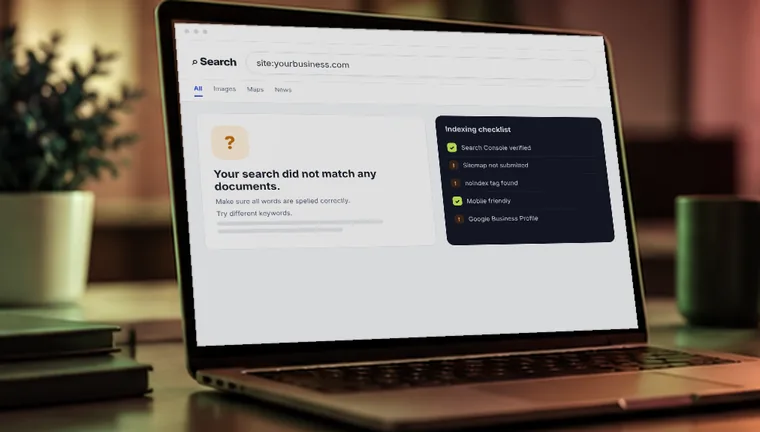
site:yourwebsite.comfirst: no results means Google hasn't indexed you, results mean the problem is ranking. - Accidental blocks, such as a noindex tag, a robots.txt rule or a ticked WordPress box, are common and quick to fix.
- To rank, each service needs its own useful page that says what you do and where, backed by a complete Google Business Profile.
- Removing a block can get you into Google within days or weeks; ranking for competitive searches usually takes several months.
Check this first
Type site:yourwebsite.com into Google. If you get results, Google knows your site and the problem is ranking. If you get nothing, the problem is indexing.
1. Google hasn't found your site yet
A new website isn't in Google automatically. Google has to discover it, crawl it, and decide to add it. That can take days or a few weeks, and sometimes longer if nothing links to your site.
How to fix it
Set up Google Search Console, verify your site, submit your sitemap (usually yourwebsite.com/sitemap.xml), and use the URL Inspection tool to request indexing for your main pages. Getting a link from your Google Business Profile or social profiles helps Google find you faster.
2. Something is telling Google to stay away
This is the most painful reason, because it is often an accident. A “noindex” tag or a blocking rule in your robots.txt file tells Google not to show your pages. It is common when a site was built on a test version and the setting was never switched off, and WordPress has a “discourage search engines” box that gets left ticked.
How to fix it
In WordPress, go to Settings, then Reading, and make sure search engine visibility is not blocked. Open yourwebsite.com/robots.txt and look for “Disallow: /”. In Search Console, inspect a page and read what it says about indexing.
3. You're indexed, but you don't match what people search
Being in Google is not the same as ranking. If your pages don't clearly say what you do and where, Google has no reason to show you. A homepage that says “Welcome to our company” tells nobody anything.
How to fix it
Write one page per service. Put the service and the place in the title, the main heading, and the first paragraph, for example “Emergency plumber in Austin”. Use the words your customers use, not industry jargon.
4. Your content is thin or copied
Pages with a couple of lines, or text borrowed from suppliers or other sites, rarely rank. Google prefers pages that answer the question better than what already exists.
How to fix it
Make each key page genuinely useful. Add real details: what you do, who it is for, how much it roughly costs, how long it takes, photos of your work, and answers to common questions. Write it yourself, from your own experience.
5. Local signals are missing
For businesses that serve a local area, Google leans heavily on your Google Business Profile, your reviews, and whether your name, address and phone number are consistent across the web. A strong website with no profile often loses to a weaker one with a good profile.
How to fix it
Claim and complete your Google Business Profile, choose accurate categories, add photos, and ask happy customers for reviews. Make sure your business name, address and phone number match everywhere they appear. Our local SEO checklist walks through every step.
6. Your site is slow or hard to use on a phone
Most searches happen on mobile. If pages load slowly, text is tiny, or buttons are hard to tap, visitors leave and Google notices.
How to fix it
Run your page through Google's PageSpeed Insights. Compress large images, remove plugins you don't use, and test the site on your own phone. This is often the quickest improvement you can make.
7. Google can't read your content properly
Some websites load their text only after scripts run, or show important words inside images. Google can miss content that is hidden this way, and people using screen readers can too.
How to fix it
Make sure your main text is real text on the page. In Search Console's URL Inspection tool, view the page as Google sees it and compare it with what you see in your browser.
8. Few trusted sites mention or link to you
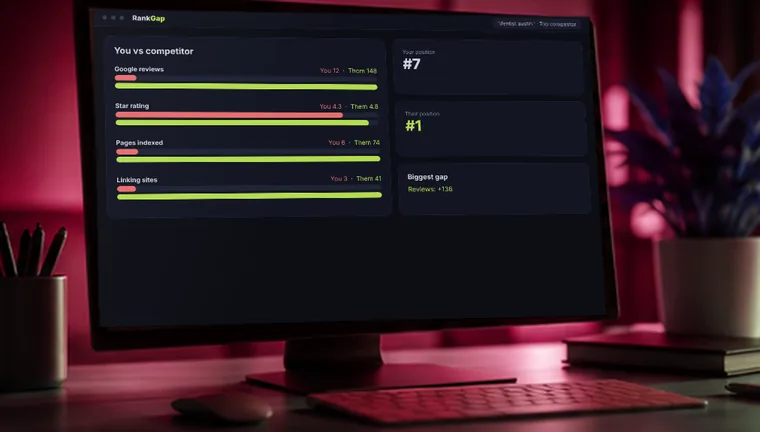
Links from other reputable websites act as votes of confidence. A site with none, competing against ones with many, will usually sit lower even if its pages are good.
How to fix it
Build links the honest way: get listed in respected local and industry directories, ask suppliers and partners to link to you, earn press or community mentions, and publish something useful enough that others share it. Avoid buying cheap link packages. They can do real damage.
9. You may have a penalty or a sudden technical break
If you used to appear and then vanished, something changed. It could be a manual action from Google, a hacked site, a redesign that changed your page addresses without redirects, or a rule that blocked crawling.
How to fix it
In Search Console, open “Manual actions” and “Security issues”. Compare your old and new page addresses, and add redirects from the old ones. If your site was hacked, clean it and request a review.
How long until you show up?
If the problem is a block (reasons 1 and 2), fixing it can bring you into Google within days or weeks. Ranking well for competitive searches takes longer, often several months, because Google needs time to see that your site is useful and trusted. Anyone who promises page one in a week is guessing or cutting corners.
Want a team to handle it? See our SEO services, or start with the free audit below.
Frequently asked questions
Search site:yourwebsite.com. No results means it is not indexed.
No. Organic results are free. Ads (Google Ads) are a separate paid option that can bring faster traffic.
Reasons 1, 2 and 6 are often easy to fix yourself. The others can take expertise, which is where an audit saves time.
Get your free website audit
Tell us where to look. A RankNovo strategist reviews your site and replies within 24 hours with what's holding you back and what to fix first. No contract, no pressure.
- Indexing & technical check
- Rankings & competitors
- Fixes in priority order